US_states <- state.name

length(US_states)
[1] 50R Fundamentals
state.name is available without loading any additional packages.state.name to a new variable called US_states.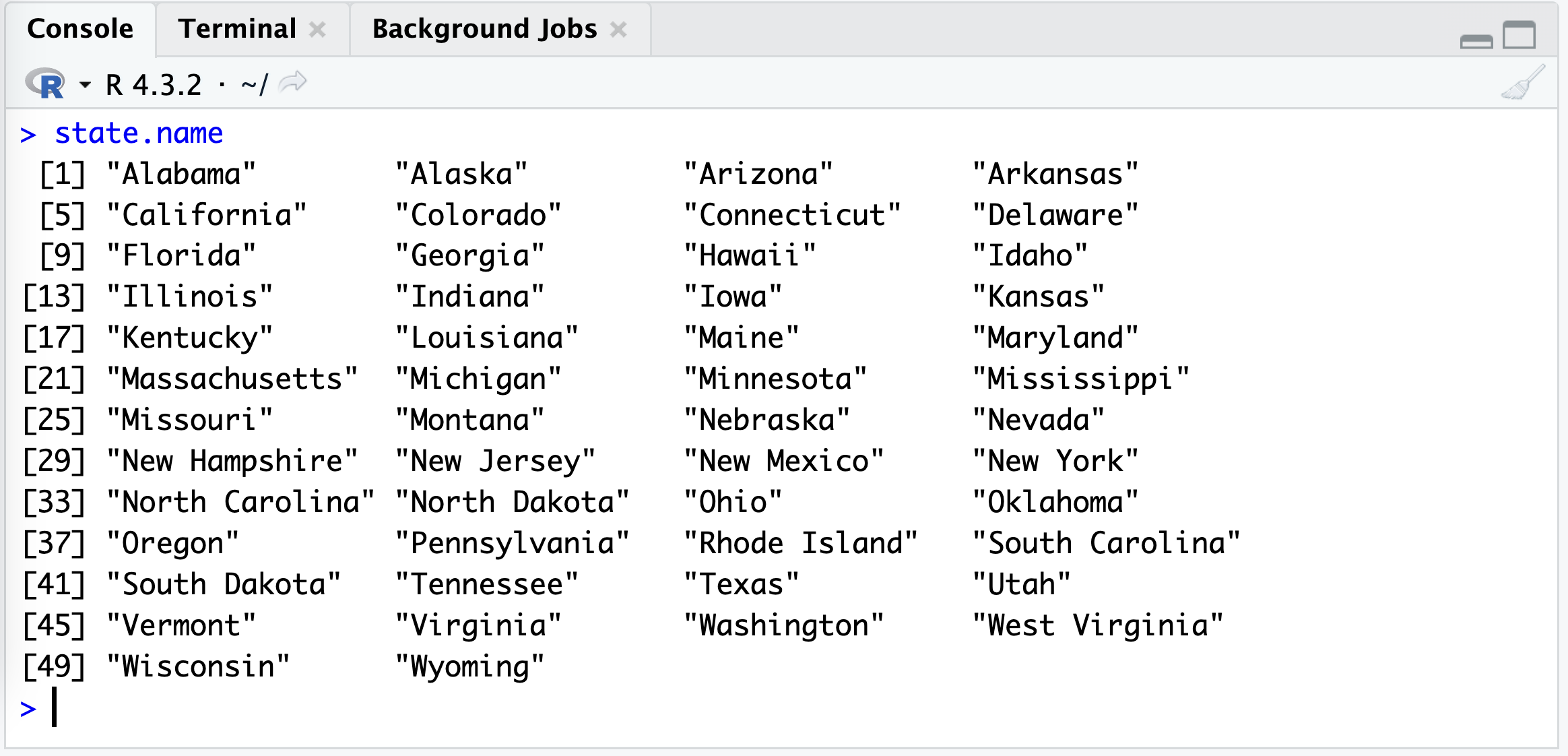
Example: calling state.name in R
Use the assignment operator (<-) to store the built-in state.name vector under the new name US_states.
US_states <- state.name
length(US_states)[1] 50state.name is a built-in character vector containing the names of the 50 U.S. states. The assignment creates US_states as another name for those values. length() confirms that the vector contains 50 elements.
Write an R code to create a numeric vector named numbers containing the integers from 10 to 50.
The colon operator (:) creates a sequence that includes both endpoints.
numbers <- 10:50
numbers
[1] 10 11 12 13 14 15 16 17 18 19 20 21 22 23 24 25 26 27 28 29 30 31 32 33 34
[26] 35 36 37 38 39 40 41 42 43 44 45 46 47 48 49 50length(numbers)[1] 41The result begins with 10, increases by 1, and ends with 50. Because both 10 and 50 are included, numbers contains 41 values. R stores these whole-number values as integers, which are a numeric data type.
The temp_F vector contains the average high temperatures in January for the following cities: Seoul, Lagos, Paris, Rio de Janeiro, San Juan, and Rochester.
temp_F <- c(35, 88, 42, 84, 81, 30)Create a new vector named temp_C that stores the converted Celsius temperatures. Below is the conversion formula:
C = \frac{5}{9}\times(F - 32)
R performs arithmetic on every element of a vector, so the conversion formula can be applied directly to temp_F.
temp_C <- (5 / 9) * (temp_F - 32)
temp_C
[1] 1.666667 31.111111 5.555556 28.888889 27.222222 -1.111111# A rounded version is easier to read
round(temp_C, digits = 1)[1] 1.7 31.1 5.6 28.9 27.2 -1.1First, R subtracts 32 from each Fahrenheit temperature. It then multiplies every result by 5/9. The Celsius values remain in the same city order as temp_F: Seoul, Lagos, Paris, Rio de Janeiro, San Juan, and Rochester. temp_C keeps the full precision, while round() only changes how the values are displayed.
Write an R code to assign the string “Hello, World!” to a variable named greeting and display its value on the Console.
Quotation marks tell R that the value is character text. Assign the text to greeting, then use greeting to display it in the Console.
greeting <- "Hello, World!"
greeting
[1] "Hello, World!"Typing greeting by itself in the Console would also display its value. greeting makes the request to display the value explicit.
Write an R code to convert the character vector char_vec <- c("1", "2", "3", "4") into a numeric vector named num_vec.
char_vec <- c("1", "2", "3", "4")Use as.numeric() to convert each text value into its numeric equivalent.
num_vec <- as.numeric(char_vec)
num_vec
[1] 1 2 3 4class(num_vec)[1] "numeric"The original values in char_vec are character strings because they appear inside quotation marks. as.numeric() converts them to the numbers 1, 2, 3, and 4. class(num_vec) confirms that the new vector is numeric. If a character value cannot be interpreted as a number, R returns NA for that value and gives a warning.
first_names <- c("John", "Jane") and last_names <- c("Doe", "Smith"), to create a vector full_names containing the full names (e.g., “John Doe”, “Jane Smith”) using the str_c() function for vectorized character operations.
str_c() function is provided by the stringr package, which is one of the packages in the tidyverse.first_names <- c("John", "Jane")
last_names <- c("Doe", "Smith")str_c() combines corresponding elements of the two vectors. The sep = " " argument inserts one space between each first and last name.
full_names <- str_c(first_names, last_names, sep = " ")
full_names
[1] "John Doe" "Jane Smith"R pairs elements by position: the first element of first_names is combined with the first element of last_names, and the second elements are combined with each other. The resulting vector is c("John Doe", "Jane Smith").