Homework 6
Data Transfomration with pandas III
📌 Directions
- Submit your Jupyter Notebook (*.ipynb) to Brightspace using this format:
danl-210-hw6-LASTNAME-FIRSTNAME.ipynb
(e.g.,danl-210-hw6-choe-byeonghak.ipynb)
- Due: May 6, 2026, 11:59 P.M.
- Questions? Email Prof. Choe: bchoe@geneseo.edu
Part 1. Spotify Data with Group Operation

Below is spotify DataFrame that reads the file spotify_all.csv containing data of Spotify users’ playlist information (Source: Spotify Million Playlist Dataset Challenge).
spotify = pd.read_csv('https://bcdanl.github.io/data/spotify_all.csv')Variable Description
pid: playlist ID; unique ID for playlistplaylist_name: a name of playlistpos: a position of the track within a playlist (starting from 0)artist_name: name of the track’s primary artisttrack_name: name of the trackduration_ms: duration of the track in millisecondsalbum_name: name of the track’s album
Definition of a Song
In Part 2, a song is defined as a combination of a
artist_namevalue and atrack_namevalue.E.g., the following provides the 12 distinct songs with the same
track_name—I Love You:
Question 1
Write code with pandas groupby() to calculate the total duration (in minutes) of each playlist and then sort by the total duration in descending order to identify the playlists from longest to shortest total playtime.
Show answer
q1 = (
    spotify
    .groupby(['pid', 'playlist_name'])['duration_ms']
    .sum()
    .reset_index(name='total_duration_ms')
    .sort_values('total_duration_ms', ascending=False)
)

q1['total_duration_min'] = q1['total_duration_ms'] / 60000
Question 2
Write code with pandas groupby() to identify the top five songs with the highest frequency of appearances in the spotify DataFrame.
Show answer
q2 = (
    spotify
    .groupby(['artist_name','track_name'])
    .size()
    .reset_index(name='count')
    .nlargest(5, 'count', keep='all')
)
Question 3
- Write code with pandas
groupby()to create a DataFrame that contains information about how often each song occurs within thespotifyDataFrame.- In this new DataFrame, each observation should represent a distinct song.
- Then, identify top 5% songs based on their frequency of appearances.
Show answer
q3 = (
    spotify
    .groupby(['artist_name','track_name'])
    .size()
    .reset_index(name='count')
)

thresh = q3['count'].quantile(0.95)

q3 = q3[ q3['count'] >= thresh ]
Question 4
Write code with pandas groupby() to list all artists who have more than 50 unique songs in the sportify DataFrame.
Show answer
q4 = (
    spotify
    .groupby('artist_name')['track_name']
    .nunique()
    .reset_index(name='unique_song_count')
    .query('unique_song_count > 50')
)
Question 5
Write code with pandas groupby() to create a DataFrame that identifies all the playlists featuring the song “One Dance” by Drake.
Show answer
q5 = (
    spotify
    .query('artist_name == "Drake" and track_name == "One Dance"')
    .groupby(['pid','playlist_name'])
    .size()          # size() just to collapse duplicates
    .reset_index()[['pid','playlist_name']]
)
Question 6
Write code with pandas groupby() to identify the longest and shortest duration songs (based on duration_ms) for each unique artist.
Show answer
q6_shortest = (
    spotify
    .groupby('artist_name')
    .apply(
        lambda df: df.nsmallest(1, 'duration_ms', keep='all')
        )
    )

q6_longest = (
    spotify
    .groupby('artist_name')
    .apply(
        lambda df: df.nlargest(1, 'duration_ms', keep='all')
        )
    )
Question 7
Write code with pandas groupby() to find the same song(s) appearing more than once in the same playlist.
Show answer
# 1. Compute group sizes for each (pid, artist_name, track_name)
spotify['group_sizes'] = spotify.groupby(['pid','artist_name','track_name'])['pid'].transform('size')

# 2. Keep only those rows where the size > 1
q7 = spotify[spotify['group_sizes'] > 1]
Question 8
Write code with pandas groupby() to filter all songs that appear in more than 100 different playlists.
Show answer
q8 = (
    spotify
    .groupby(['artist_name','track_name'])
    .agg(playlist_count = ('pid', 'nunique'))
    .query('playlist_count > 100')
)
Part 2. Shoes Online Shoping
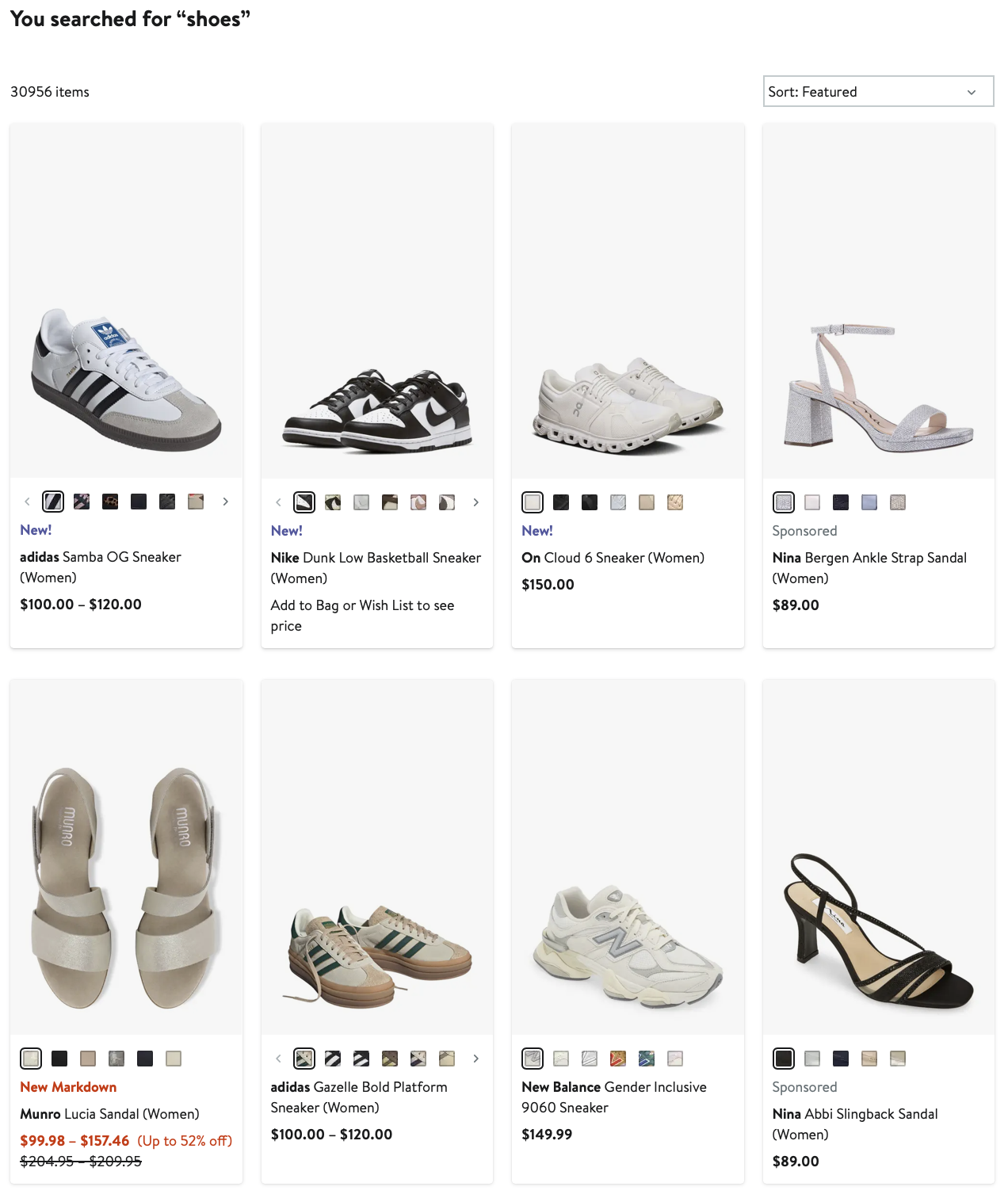
Below is shoes DataFrame that reads the file onlinestore_shoes_simple.csv containing data of “shoes” search information from an online store.
shoes = pd.read_csv('https://bcdanl.github.io/data/onlinestore_shoes_simple.csv')Variable Description
| Variable | Description |
|---|---|
id |
Unique identifier for the product |
brandId |
Unique identifier for the brand |
brandName |
Name of the brand |
name |
Product name or title |
reviewCount |
Number of customer reviews |
reviewStarRating |
Average star rating from customer reviews |
current_p |
Current price |
clearance_p |
Clearance price (NA if not available for clearance) |
- If the product is on clearance, the product’s
current_pequals itsclearance_p.
Question 9
Add a new variable discount_pct to the shoes DataFrame that shows the percentage markdown for clearance items (0 % for non-clearance).
\[ (\text{Discount Percentage}) = 100 \times \frac{(\text{Current Price}) - (\text{Clearnace Price})}{(\text{Current Price})} \]
Show answer
shoes["on_clearance"] = shoes["current_p"] == shoes["clearance_p"]
shoes["discount_pct"] = np.where( shoes['on_clearance'],
(shoes["current_p"] - shoes["clearance_p"]) / shoes["current_p"] * 100, 0 ) - Note that the value of
discount_pctis zero for all observations.
Question 10
For each brand, compute the interquartile range (IQR) of its current_p.
Show answer
shoes["IQR"] = (
    shoes
    .groupby(["brandId", "brandName"])["current_p"]
    .transform(lambda s: s.quantile(0.75) - s.quantile(0.25))
    )
Question 11
List the top 20 brands with the highest average star rating, considering only brands that have at least 1000 reviews total.
Show answer
shoes['reviewCount_tot'] = shoes.groupby(["brandId", "brandName"])['reviewCount'].transform('sum')

q11 = (
       shoes
       .query('reviewCount_tot >= 1000')
       .groupby(["brandId", "brandName"])
       .agg(reviewStarRating_avg = ('reviewStarRating', 'mean'))
       .nlargest(20, 'reviewStarRating_avg', keep = 'all')
       )
Question 12
For each brand, compute the proportion of products on clearance. Return the result sorted from highest to lowest proportion.
Show answer
q12 = (
       shoes
       .groupby(["brandId", "brandName"])
       .agg(on_clearance_prop = ('on_clearance', 'mean'))
       .sort_values('on_clearance_prop', ascending = False)
       )
Question 13
For every brand, calculate the correlation between product price (current_p) and star rating. Keep only brands with more than 100 products.
Show answer
shoes['nProducts'] = shoes.groupby(["brandId", "brandName"]).transform('size')

q13 = (
      shoes
      .query('nProducts > 100')
      .groupby(["brandId", "brandName"])
      .apply(lambda df: df['current_p'].corr( df['reviewStarRating'] ))
      .reset_index(name='cor_p_star')
      )
Question 14
Identify “premium” products inside each brand as those priced above the 90th percentile of that brand. Among these premium items, what fraction are on clearance overall?
Show answer
shoes['price90'] = shoes.groupby(["brandId", "brandName"])["current_p"].transform(lambda s: s.quantile(0.9))

q14 = (
       shoes
       .query('current_p > price90')[["brandId", "brandName" , "on_clearance"]]
       )

q14['on_clearance'].mean()
Question 15
After binning current_p into price quartiles with pd.qcut(), count the number of clearance products for each brand–quartile combination.
- Below explains
pd.qcut():
shoes["price_qtile"] = pd.qcut(shoes["current_p"], 4, labels=["Q1","Q2","Q3","Q4"])pd.qcut(shoes["current_p"], 4, …)qcutstands for “quantile cut.”- Given the series of prices, it computes the 0th, 25th, 50th, 75th, and 100th percentiles.
- It then assigns each product to one of four bins so that each bin contains (as close as possible to) the same number of products.
labels=["Q1","Q2","Q3","Q4"]- Instead of getting the default interval‐notation (e.g. (10.0, 25.5]), each bin is labeled “Q1” through “Q4.”
- “Q1” will be the lowest 25% of prices, “Q2” the next 25%, and so on, up to “Q4” for the top‐priced 25%.
- Assignment into
shoes["price_qtile"]- The result is a categorical variable in your
shoesDataFrame. - You can now easily group or filter by “Q1”, “Q2”, etc., rather than working with numeric cut‐points.
- The result is a categorical variable in your
Show answer
shoes["price_qtile"] = pd.qcut(shoes["current_p"], 4, labels=["Q1","Q2","Q3","Q4"])
shoes["brand"] = shoes["brandId"].astype('str') + '_' + shoes["brandName"]

# it is okay to use ["brandName", "price_qtile"] as group variables
q15 = (
    shoes
    .query('on_clearance == True')
    .groupby(["brand", "price_qtile"])
    .size()    # produces a Series with a MultiIndex
    .reset_index(name="count")     # turn it into a DataFrame
    .pivot(
        index="brand",
        columns="price_qtile",
        values="count"
    )
    .fillna(0)
)
Question 16
- For each brand in the
shoesDataFrame, add a new variablerev_scaledthat re-scalesreviewCountto the [0, 1] range.- The product with the highest
reviewCountwithin its brand has a value 1 in therev_scaledvariable. - The product with the lowest
reviewCountwithin its brand has a value 0 in therev_scaledvariable.
- The product with the highest
Show answer
def min_max(s):
    return (s - s.min()) / (s.max() - s.min())

shoes["rev_scaled"] = (
    shoes
    .groupby(["brandId", "brandName"])["reviewCount"]
    .transform(min_max)
    )