# %%
# =============================================================================
# Setting up
# =============================================================================
import pandas as pd
import os, time, random
from io import StringIO

# Import the necessary modules from the Selenium library
from selenium import webdriver  # Main module to control the browser
from selenium.webdriver.common.by import By  # Helps locate elements on the webpage
from selenium.webdriver.chrome.options import Options  # Allows setting browser options
from selenium.webdriver.support.ui import WebDriverWait
from selenium.webdriver.support import expected_conditions as EC
from selenium.common.exceptions import NoSuchElementException
from selenium.common.exceptions import TimeoutException
from selenium.common.exceptions import StaleElementReferenceException

# Set the working directory path
wd_path = 'ABSOLUTE_PATHNAME_OF_YOUR_WORKING_DIRECTORY' # e.g., '/Users/bchoe/Documents/DANL-210'
os.chdir(wd_path)  # Change the current working directory to wd_path
os.getcwd()  # Retrieve and return the current working directory

# Create an instance of Chrome options
options = Options()
options.add_argument('--disable-blink-features=AutomationControlled')  # Prevent detection of automation by disabling blink features
options.page_load_strategy = 'eager'  # Load only essential content first, skipping non-critical resources

# Initialize the Chrome WebDriver with the specified options
driver = webdriver.Chrome(options=options)

url = 'http://quotes.toscrape.com/tableful/'Scrapping Table Data with Python selenium
Midterm Exam II, DANL 210-01, Spring 2025
📌 Directions
This is an exam on a paper, so minor coding errors are expected. My main focus is on your approach to each question — the logic, algorithms, and syntax you use. Nearly perfect code will be rewarded with bonus credit.
Data Collection with Selenium (Points: 36)
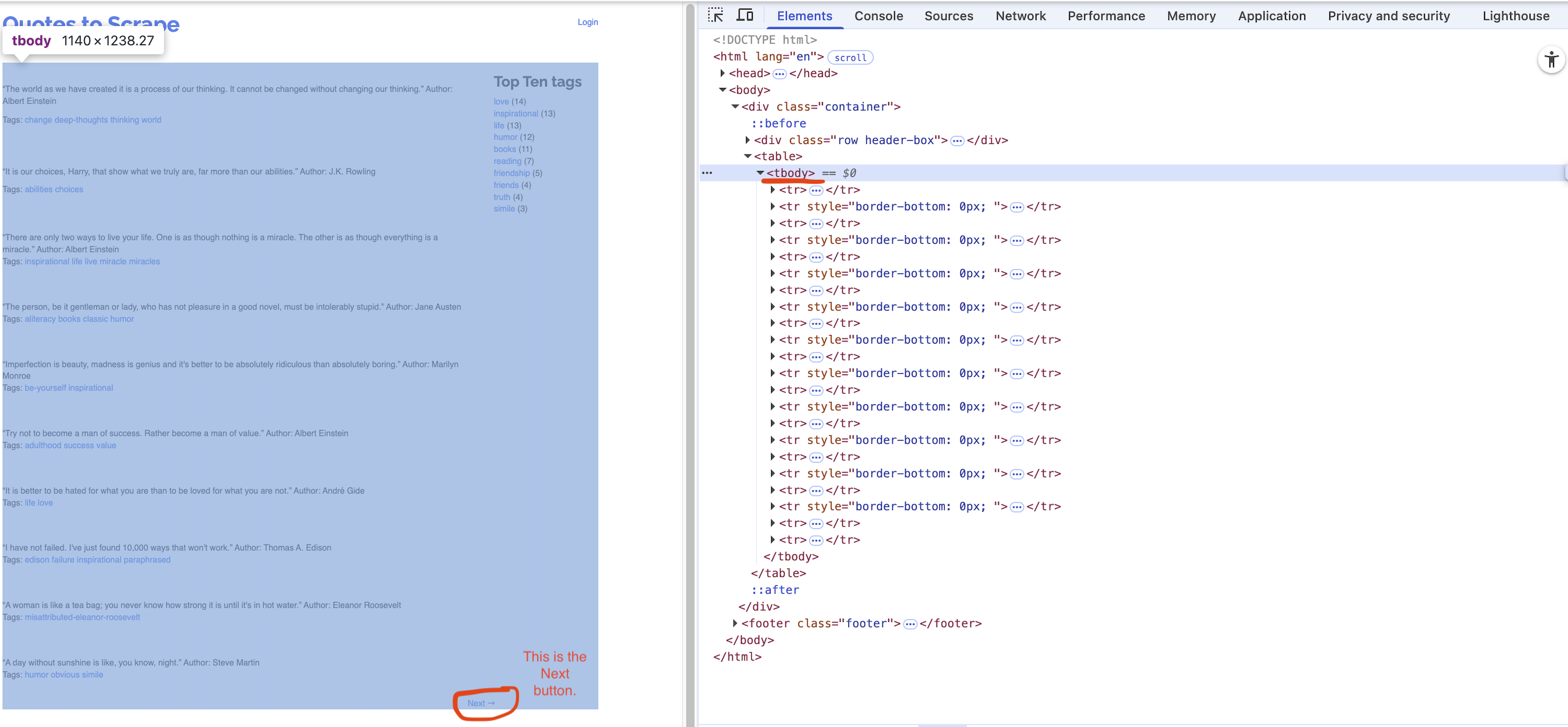
First/Front page of the website for the url:
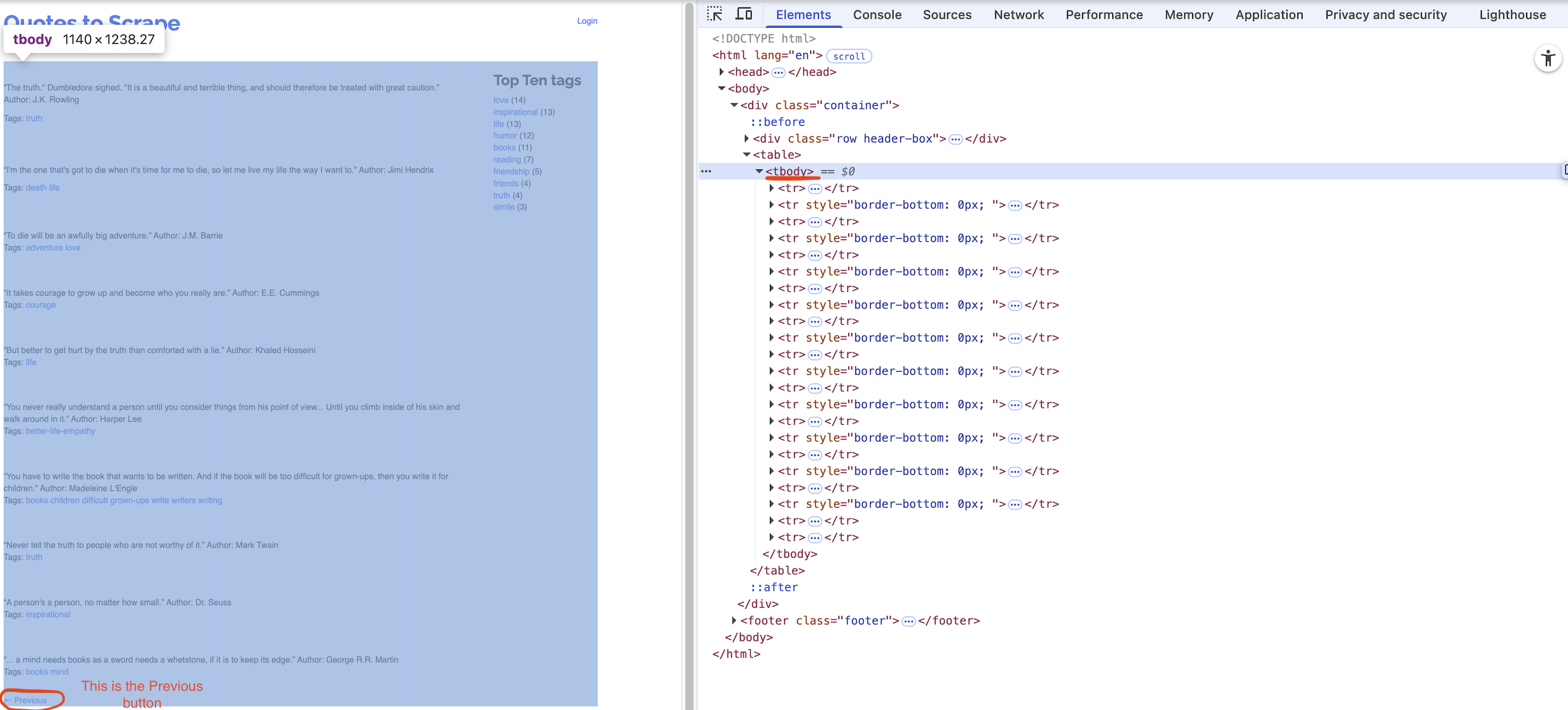
Last page of the website for the url:
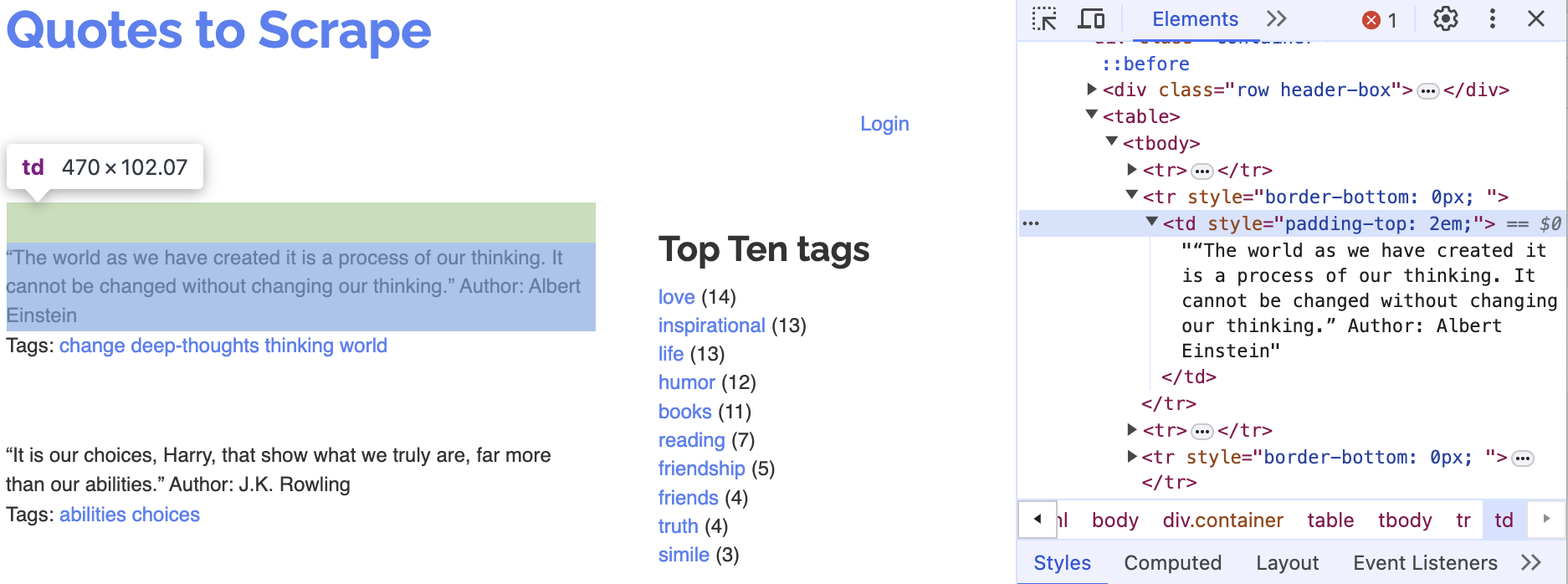
A single quote with its author
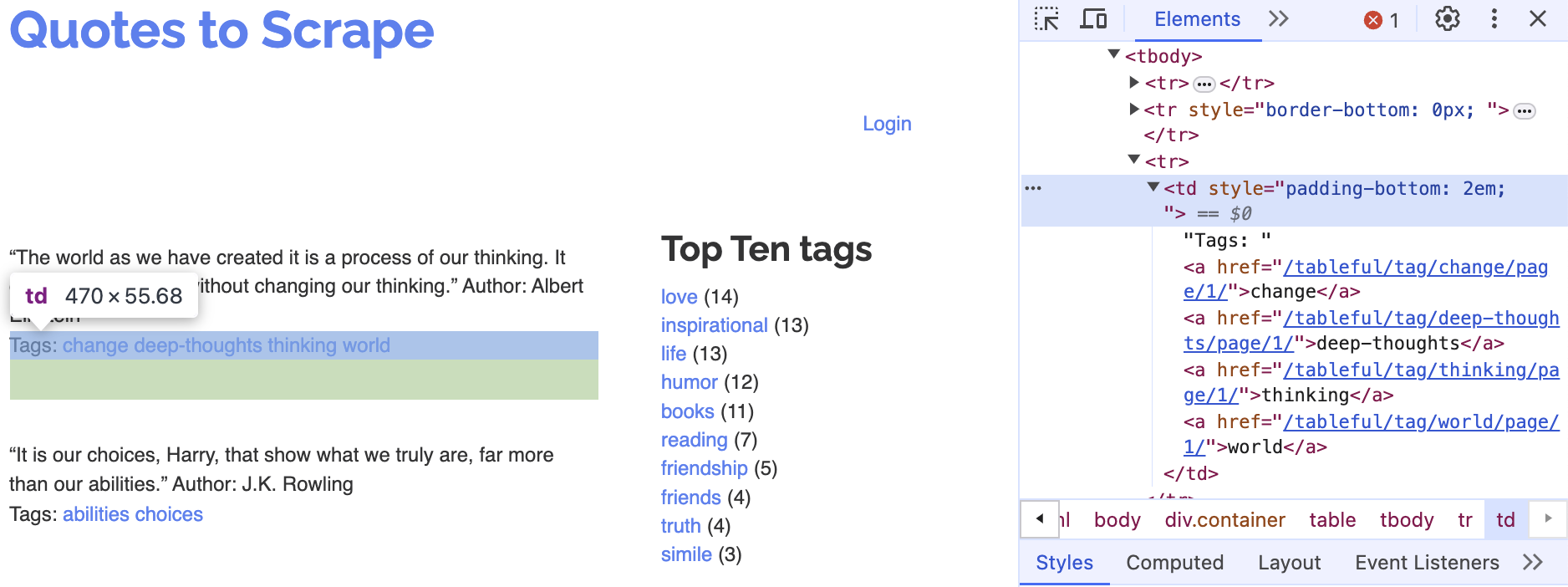
Corresponding tags
Question 1 (Points: 4)
- Write
pandascode that reads the HTML table from the front page of the website URL stored inurlinto a DataFrame calleddf.
Answer:
Question 2 (Points: 4)
- Write code to load the first/front page of the website for the
urlon the Chrome browser that is being controlled by automated test software, calledselenium.
Answer:
Question 3 (Points: 20)
- Write Python code to scrape every quote from a paginated website (unknown number of pages, 10 quotes per page) by repeatedly clicking the Next button until it disappears.
- On each page, extract each quote and its author into a column
quote_authorand its associated tags intotags, appending them to a DataFrame nameddf_clean. - After loading each page, pause execution for a random 1–2 second interval.
- Examine below XPath examples for
quote_author(rows 2, 4, 6, …) andtags(rows 3, 5, 7, …), identify that pattern of even vs. odd row numbers, and use it to build your f-strings for locating each element.
- On each page, extract each quote and its author into a column
# Table body - quote with author
xpath_quote_author_01 = '/html/body/div/table/tbody/tr[2]/td'
xpath_quote_author_02 = '/html/body/div/table/tbody/tr[4]/td'
xpath_quote_author_03 = '/html/body/div/table/tbody/tr[6]/td'
xpath_quote_author_04 = '/html/body/div/table/tbody/tr[8]/td'
xpath_quote_author_05 = '/html/body/div/table/tbody/tr[10]/td'
xpath_quote_author_06 = '/html/body/div/table/tbody/tr[12]/td'
xpath_quote_author_07 = '/html/body/div/table/tbody/tr[14]/td'
xpath_quote_author_08 = '/html/body/div/table/tbody/tr[16]/td'
xpath_quote_author_09 = '/html/body/div/table/tbody/tr[18]/td'
xpath_quote_author_10 = '/html/body/div/table/tbody/tr[20]/td'

# Table body - tags
xpath_tags_01 = '/html/body/div/table/tbody/tr[3]/td'
xpath_tags_02 = '/html/body/div/table/tbody/tr[5]/td'
xpath_tags_03 = '/html/body/div/table/tbody/tr[7]/td'
xpath_tags_04 = '/html/body/div/table/tbody/tr[9]/td'
xpath_tags_05 = '/html/body/div/table/tbody/tr[11]/td'
xpath_tags_06 = '/html/body/div/table/tbody/tr[13]/td'
xpath_tags_07 = '/html/body/div/table/tbody/tr[15]/td'
xpath_tags_08 = '/html/body/div/table/tbody/tr[17]/td'
xpath_tags_09 = '/html/body/div/table/tbody/tr[19]/td'
xpath_tags_10 = '/html/body/div/table/tbody/tr[21]/td'Answer:
Question 4 (Points: 4)
- Write one-line code to export the
df_cleanDataFrame as a CSV file named table_quotes.csv inside the data subfolder of the current working directory given bywd_path.- Ensure that the CSV does not include row index of the
df_cleanDataFrame.
- Ensure that the CSV does not include row index of the
Answer:
Question 5 (Points: 4)
- Write a one-line code to quit the Chrome browser that is being controlled by automated test software, called
selenium.
Answer: