Reference 2
Quarto Website Basics
Website Files (What Each File/Folder Does)
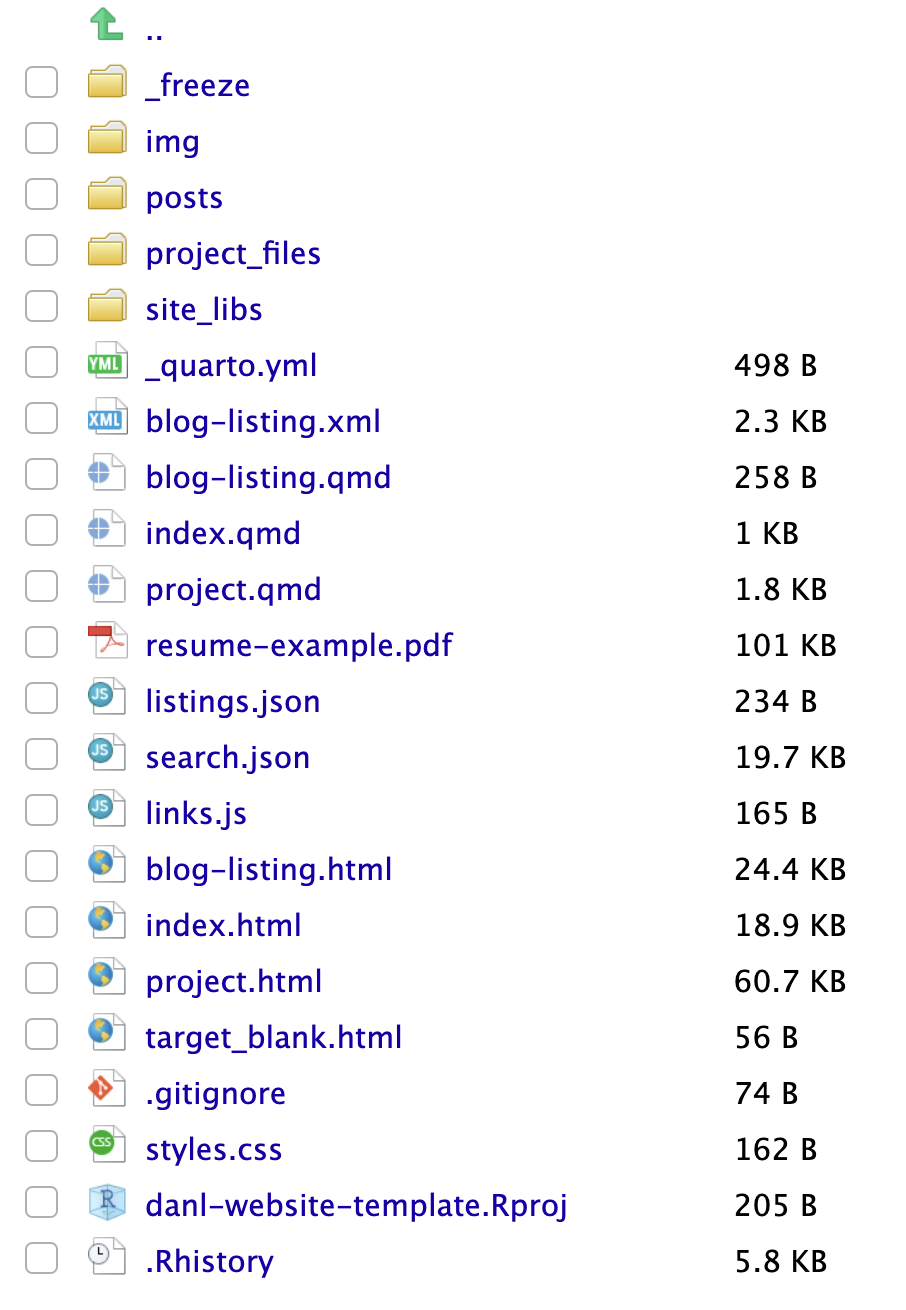
_quarto.ymlcontrols your website settings ✅- Structure (navbar, pages, blog listing, etc.)
- Theme + HTML options
- If you edit
_quarto.yml, runquarto renderin the Terminal to rebuild the whole site.
index.qmd→index.html(your homepage) 🏠- This becomes the front page of your website.
- Do not create extra homepages like
index2.qmd.
blog-listing.qmdsets up your blog page ✍️- It controls the page that lists all posts.
posts/contains your blog post folders 📂- Each post is stored in its own subfolder.
img/stores images (profile photo, icons, figures) 🖼️
File Naming Rules ✅
- Every file in your website folder can be accessed by a URL.
- Example:
resume-example.pdfbecomes
https://USERNAME.github.io/resume-example.pdf
- Example:
- Never use spaces in file names ❌
- Bad:
danl 310 - ggplot.qmd
- Good:
danl-310-ggplot.qmd
- Bad:
- Use consistent naming for multiple files ✅
- Example:
danl-310-cw-01.qmddanl-310-cw-02.qmddanl-310-cw-03.qmd
- Example:
Quarto Websites
The _quarto.yml File (Website Configuration)
project:
  type: website

website:
  title: "YOUR NAME"
  navbar:
    left:
      - text: Project
        href: project.qmd
      - text: Blog
        href: blog-listing.qmd

format:
  html:
    theme: cosmo
    css: styles.css
toc: false_quarto.ymlconfigures your entire website- ✅ Indentation matters in YAML (use 2 spaces consistently)
Opening the Website Project in RStudio
- In RStudio, open your website project file:
USERNAME.github.io.Rproj
- Click Project: (None) (top-right corner)
- Select
USERNAME.github.io.Rproj
✅ This ensures RStudio knows you are working inside your website folder.
Custom CSS (Optional)
- CSS controls the visual design of a webpage:
- colors, fonts, spacing, layout, etc.
Quick intuition:
- HTML = structure of a house 🏠
- CSS = design (paint, wallpaper, carpet) 🎨
- JavaScript = interactive features (doors, lights, buttons) ⚡
⚠️ We are not focusing on front-end development in this course.
Rendering (Building Your Site)
- Render button (Cmd/Ctrl + Shift + K) renders one file
- Use Terminal to rebuild the entire website:
quarto render✅ Use quarto render especially when you change _quarto.yml.
Best practice
- Edit
_quarto.ymland.qmdfiles locally (on your laptop) - Do not edit these files directly on the GitHub website
Appearance and Style
Theme
themechooses a Bootswatch theme (visual style)- Example themes:
cosmo,flatly,journal,yeti,darkly, …
- Example themes:
Code Highlighting
highlight-stylecontrols syntax coloring for code blocks- Example styles:
atom-one,tango,espresso,zenburn, …
- Example styles:
About Pages and Templates
- Your
index.qmdis usually your main About Me page 👤 - Quarto “About page” options are documented here:
Quarto also has built-in website templates:
jollatrestlessolanamarqueebroadside
Icons and Emojis
Bootstrap Icons
Emoji Cheat Sheets
(In R: emo::ji("smile"))
Colors (Hex Codes)
- Find hex color codes here:
Blogging
Blog Rules ✅
- One blog post = one folder inside
posts/ - Put everything for the post inside that folder:
.qmdfile- images (
.png,.jpg) - any extra files
- When inserting images, use relative paths:
- example:
myplot.png(not a full URL)
- example:
Practice Problems ✅
- Customize your homepage:
- Replace
YOUR NAMEin_quarto.ymlandindex.qmd - Write a short bio in
index.qmd - Add your profile photo to
img/ - Fix links (resume, LinkedIn, email, etc.)
- Replace
- Add a navbar link for R Basics
- Link to your file (example:
danl-310-quarto-r.qmd)
- Link to your file (example:
- Update your GitHub website using 3 git commands:
git addgit commitgit push
References
Discussion
Welcome to our Reference 2 Discussion Board! 👋
This space is designed for you to engage with your classmates about the material covered in Reference 2.
Whether you are looking to delve deeper into the content, share insights, or have questions about the content, this is the perfect place for you.
If you have any specific questions for Byeong-Hak (@bcdanl) regarding the Reference 2 materials or need clarification on any points, don’t hesitate to ask here.
All comments will be stored here.
Let’s collaborate and learn from each other!